|
|
 |
|
|
 |
Capable Software 21C v1.5
Flexible Office Management Systems
|
Call me
|
|
| |
Capable
21C Version 1.5 Features:
|
Appointment Book:
-
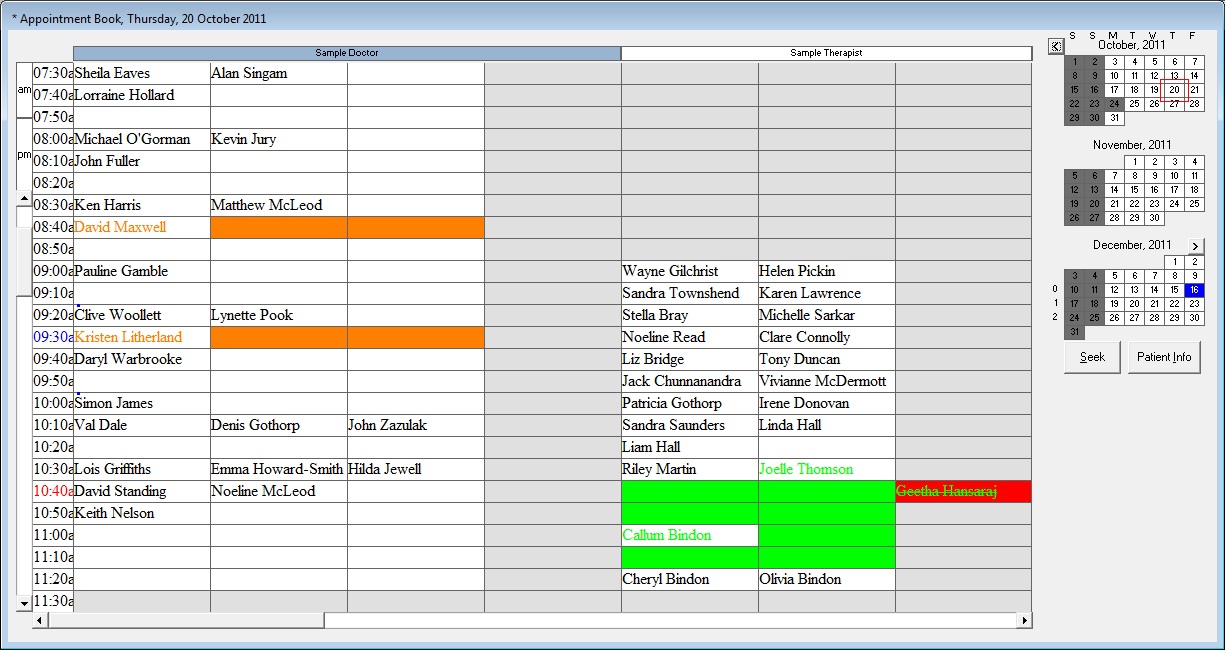
Manage appointments for multiple providers
-
Quick booking feature for scheduling future appointments
-
SMS Appointment Reminders to reduce no shows
-
Awaiting cancellation feature
-
Appointment booking for multiple offices from one location
-
Online appointment booking via evisit
-
Colour coding for appointment types
-
View 3 month appointment calendar
-
Colour code times of the day to encourage good block booking practice
-
Block out hours unavailable for patient visits - eg public
holidays and school holidays
-
Track missed, cancelled, or rescheduled appointments
-
Maintain booking schedule for resources, which automatically warns of double
booking X-Ray, specialised equipment or limited consultation space
-
Manage patients in the waiting room
-
Patient check in via swipe card or touch screen
-
Manage education classes
-
Flag special appointments with colour coded dots
-
Print the appointment book with visit cue notes for special visits
-
See assistance alerts for patients who require particular attention
|
|
Patient Care and Tracking:
-
Advanced query tool to generate patient lists for labels, letters, SMS and eMail
-
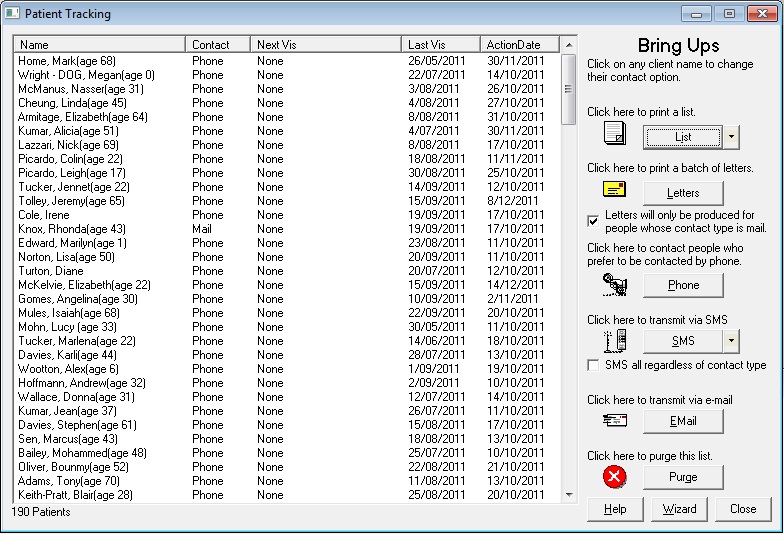
Superior patient tracking features to ensure patients do not drop out of care
-
Patient groups for easier marketing
-
Reactivation alerts for product sales
-
Track every conversation with the patient
-
Attach patient notes including X-Rays and referals
-
Attach a photograph of patient
-
Generate daily reminder, bring-up and recall lists (distinguishing family
members)
-
Send SMS or email reminders, recalls and birthday greetings in just 2 clicks
-
Link family members together for easier contact, booking and receipting
-
Track referees
-
Track patient compliance and financial history
-
Automatically notify staff while the patient is in the clinic that referals are
due to be renewed
-
Handle specialist referals by number of visits, or expiry date
-
Track significant events in a patient lifecycle, including appointments,
particular services and X-Ray bookings
|
|
Invoicing and Receipting:
-
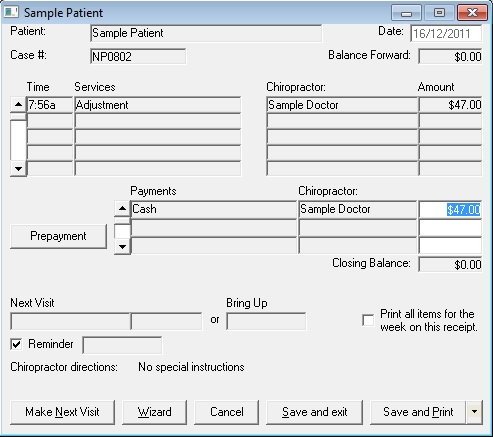
Fast payment processing - one click to bill, invoice, accept payment and print receipt. Zero clicks for prepaid patients
-
Support for third party insurers inc ACC Online for New Zealand customers
-
Care plan support with flexible payment options
-
Manage bulk payment and discount schedules
-
Process gap payments
-
Distinguish and track private and insurance invoices and payments
-
Define fees as well as item codes for insurance purposes
-
Receipt entire families on a single invoice
-
Produce time of visit and weekly invoices and receipts
-
Quickly invoice products as well as services
-
Manage patients on special rates
-
Supports bar code scanning for automatic invoicing of product sales
-
Automatically calculate GST or VAT and handle GST or VAT exempt services
-
Manage all practitioner details including provider numbers associated with
insurance companies
|
|
Debt Collection:
-
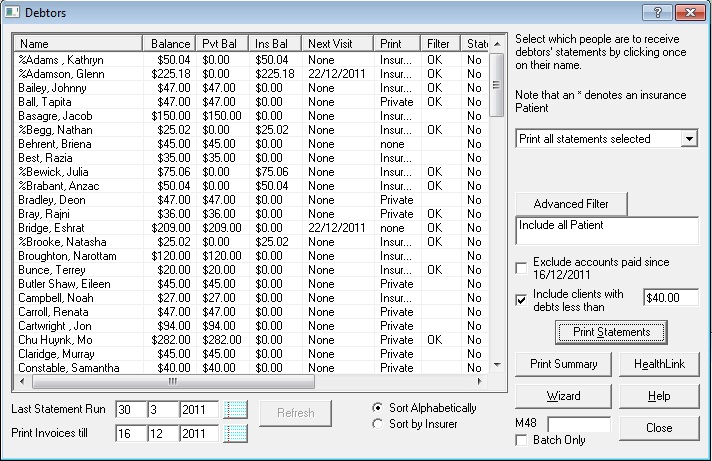
Generate debtor list with summary and statement printing options
-
Manage 30 day, 60 day, 90 day overdue lists
-
Produce statements for health funds claims
-
Only produce statements for patients whose debt is over a certain threshhold
|
|
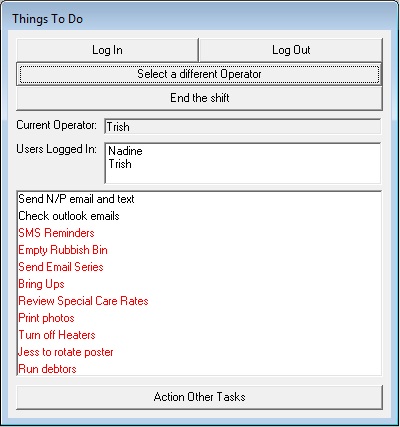
Daily To-Do List:
-
Integration of tasks generated from the various areas of Capable 21C, allowing
the practice manager to ensure that regular tasks are performed
-
Allows the practice manager to track all patients on a daily basis (stops
patients from falling off the radar)
-
Easy to use, and easy to train new staff on how to use, access and implement
the actions on the To-Do List
|
|
Statistical Reporting:
-
Advanced statistical information
-
Graph Sales, Revenue, Missed Appointments, Patient Retention, Product Sales, Patient Visits, New Patients, Patient Visit Average
-
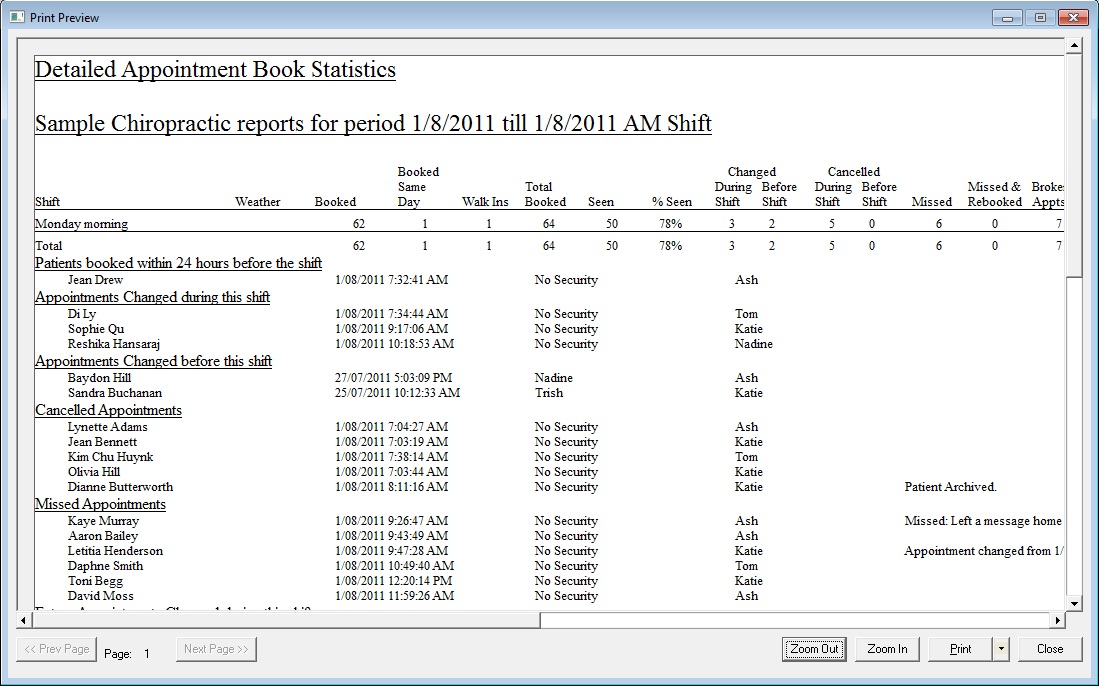
Print appointment book statistics including cancelled, missed, reschedule,
rebooked, and broken appointments
-
Track CA performance in scheduling patients
-
Track product sales performance by week, month, year
-
Track practitioner performance
-
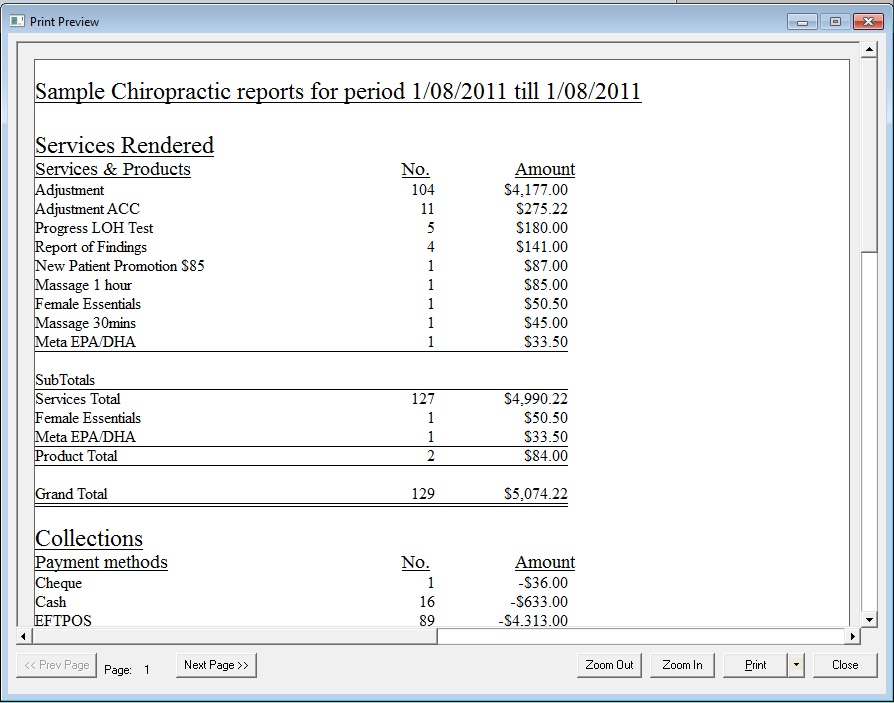
Print reports by clinic total and by individual practitioner showing products and services by date range
-
Configure products to always be billed to the clinic rather than a practitioner
-
View a block booking report to show you the effectiveness of your block booking techniques
-
Print Transaction Summaries by practitioner showing patients, services and payments by date range
-
Run tools to balance payments between your providers
-
Print reports to show payments to associates
-
Full list of reports: available on request
|
|
Financial Reporting:
-
Print End of Shift, End of Day, End of Month, End of Year financial reports
-
Print daily transaction summaries
-
Print outstanding account lists and detailed debt collection statements
-
Print banking slips including cheque breakdowns (accepted at all banking
institutions)
-
Print and manage provider balances (credits and debits between two providers
treating the same patient)
|
|
Paperless visit notes with hotkey support:
-
Full support for touch screens (including iPads)
-
Add regular treatment notes with just one keystroke/touch
-
See care compliance at a glance with graphical symbols
-
Record subject assessments with one click/touch
-
Track Exercise Regimes prescribed, Medications taken, Allergies, Education Programs recommended
-
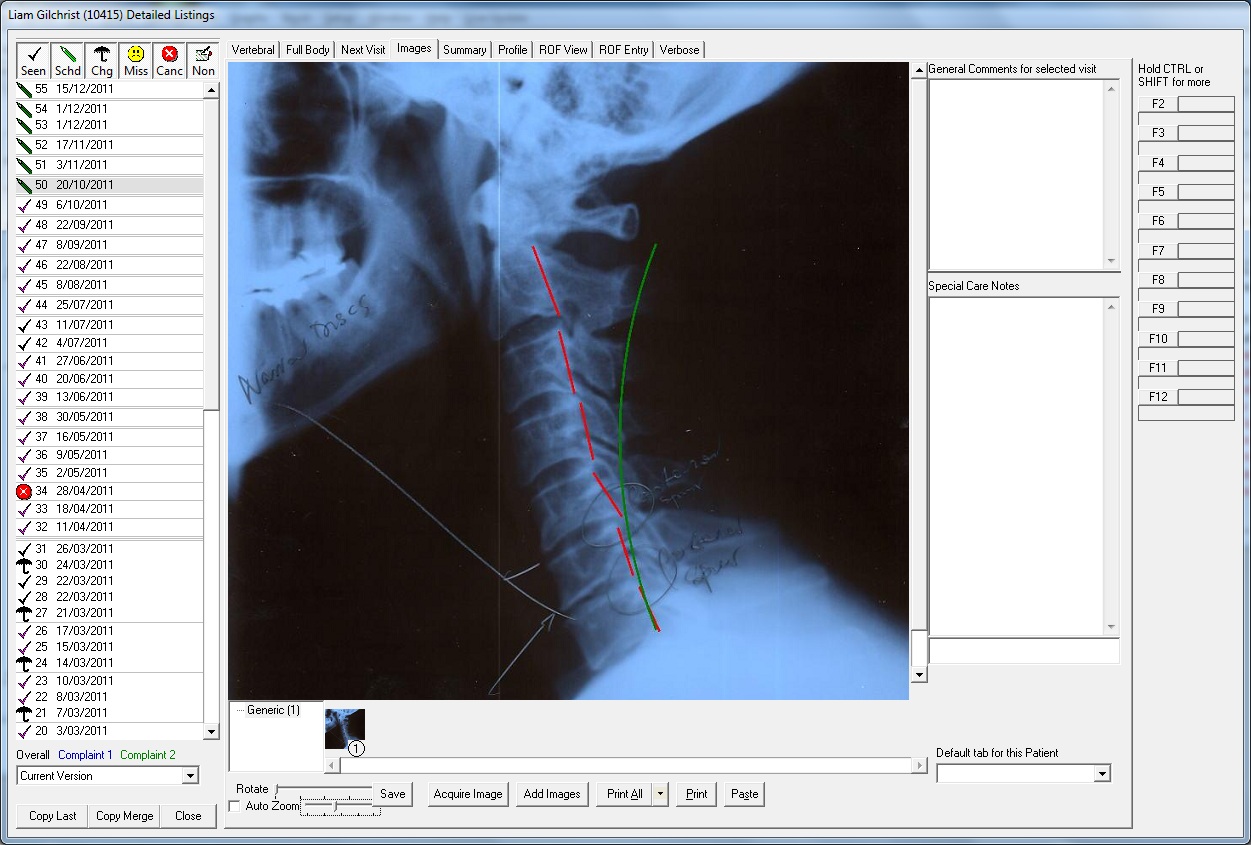
View up to four images on the main visit notes screen (no limit on total number of images stored)
-
Expand up to four images to view them full screen comparatively
-
Store images in customised folders to ensure speedy access
-
View PIT Medical Reports from with the visit notes screen
-
Image support for digital x-rays, thermal scans, posture scans, gait scans and more
|
|
Clinical Reporting:
-
Produce detailed clinical reports including consultation, secondary
complaints, examination findings, X-Ray findings, diagnosis, prognosis, and
recommended care
-
Produce progressive reports that highlight changes in condition
-
Record psychological evaluation findings
-
Automatically generate diagnosis and treatment descriptions to simplify the
production of report of findings for patient insurance claims and legal reports
-
Generate quotations and treatment regimes for recommended care
-
Save templates to reflect the type of reports you most commonly generate
|
|
Automated Patient Calling:
-
Have your recorded voice call your patients to treatment areas
-
Have multiple calling messages based on appointment type
-
Choose which treatment areas are active for which practitioners according to appointment type
-
Call patients by their preferred name
-
Display Flash video while patients are waiting in the treatment rooms to receive their care
-
Patients can register using swipe cards or fingerprint scanners
-
Patient notes are automatically sent to the treatment area PC when the patient is called to the treatment area
|
|
Stock
Control:
-
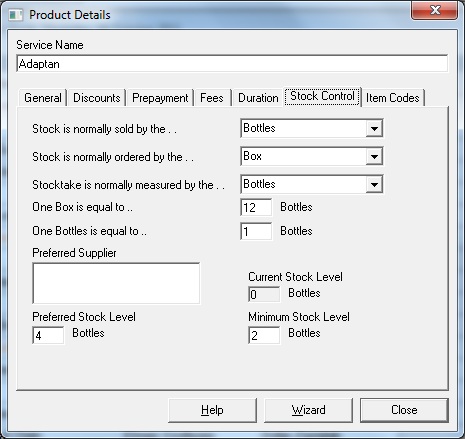
Track and manage stock levels
-
Take stock reconciliation to manage lost stock
-
Manage multiple stock suppliers
-
Automatically generate stock orders
-
Automatically optimize stock orders to minimise shipping and handling costs
-
Track preferred as well as minimum stock levels
-
Track stock by item, pack, bottle, or even by mililitres or grams
-
(The Stock Control does not ship standard with Capable 21C. Refer to the pricing page for pricing information for the Stock Control Module)
|
|
Live Update
to the latest version of Capable 21C with a single click
|
| |
|
|
|
|